Teaching an old fish new tricks
Hacking a Billy Bass. A singing fish from 1999, an Arduino, a Raspberry Pi, and a finetuned 1B model that speaks and flops entirely offline.
Filip Nowak · 10 min read
“The most difficult thing is the decision to act, the rest is merely tenacity.”
Amelia Earhart
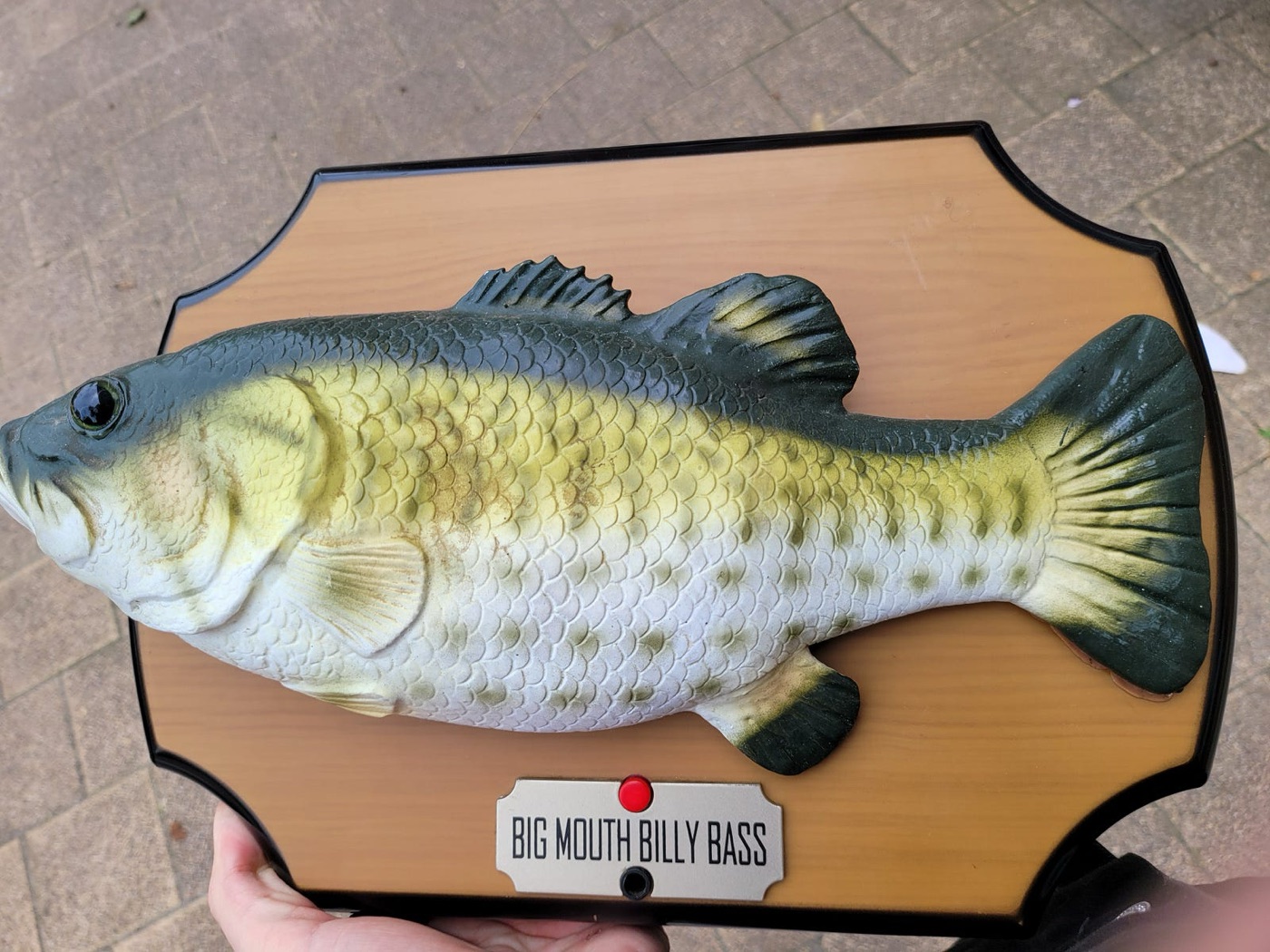
Before I go into any stories or technical details, here are some videos of the current state (more at the end).
Soon after I received my first paycheck at my new job I needed to find something memorable to spend it on. I've had this idea of infusing one of those Billy Bass singing fish with a large language model back when I was still in my 2nd year of uni.
It was a sign that this thought came back to me right after I graduated and started working full-time.
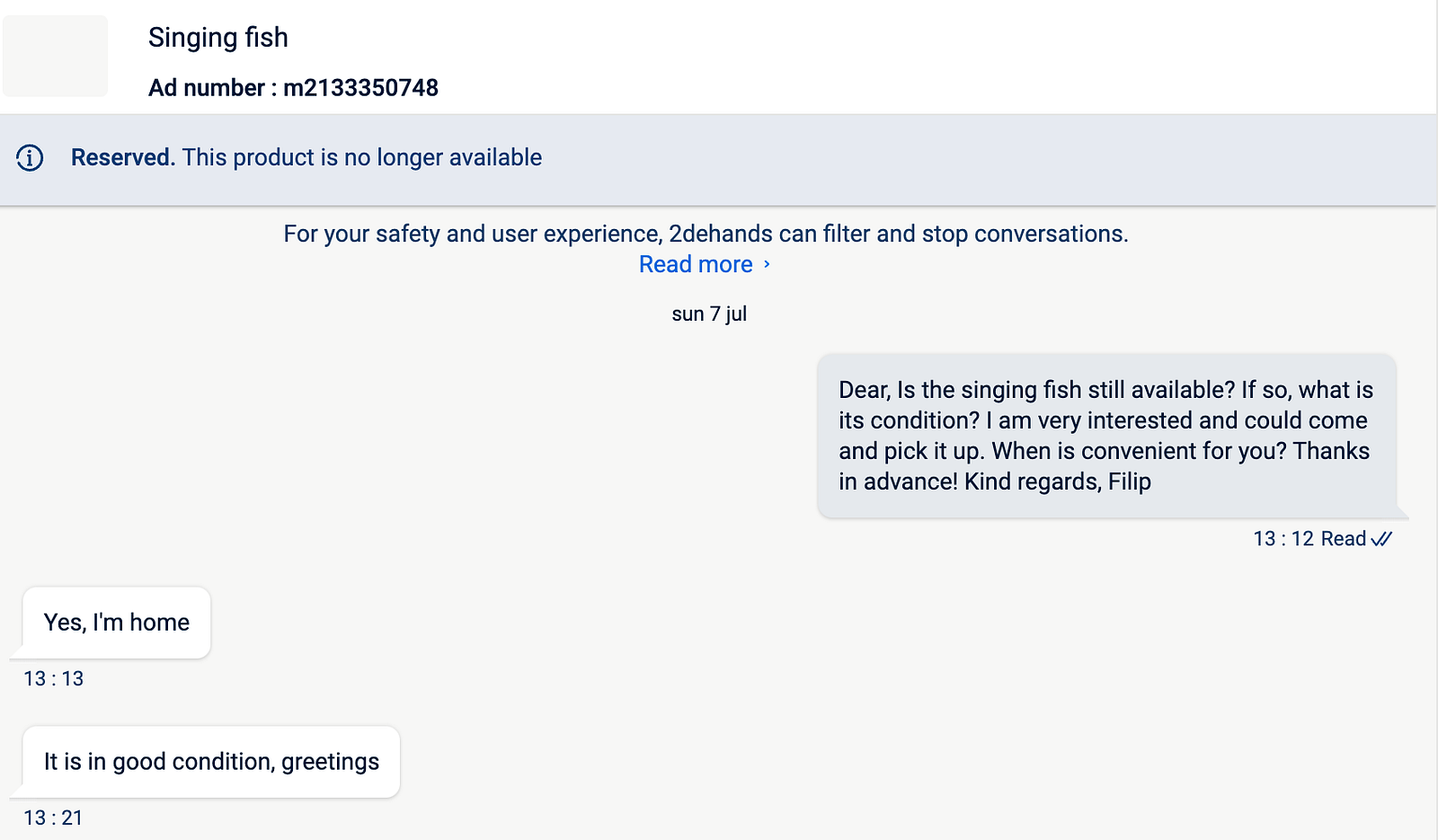
In this write up, I'll start with more of a general story of how things went and then at the end I'll talk about the technical side. My goal was to make this work 100% locally with custom finetuned LLMs (Large Language Models), edge Text to Speech as well as Speech to Text models.
In the end I made 2 implementations, one fully local and another one which uses hosted solutions.
The code is available at fibleep/fish-ai. It is being semi-actively worked on so I apologize for the mess, but if you're looking for a specific part of this project you will hopefully find it there. DISCLAIMER: the code is very much all over the place, it was simply trying to get things to work as fast as possible. Proceed with caution.
If you have any questions about it please hit me up either on LinkedIn or Discord (fibleep).
The Journey
Initial Struggles
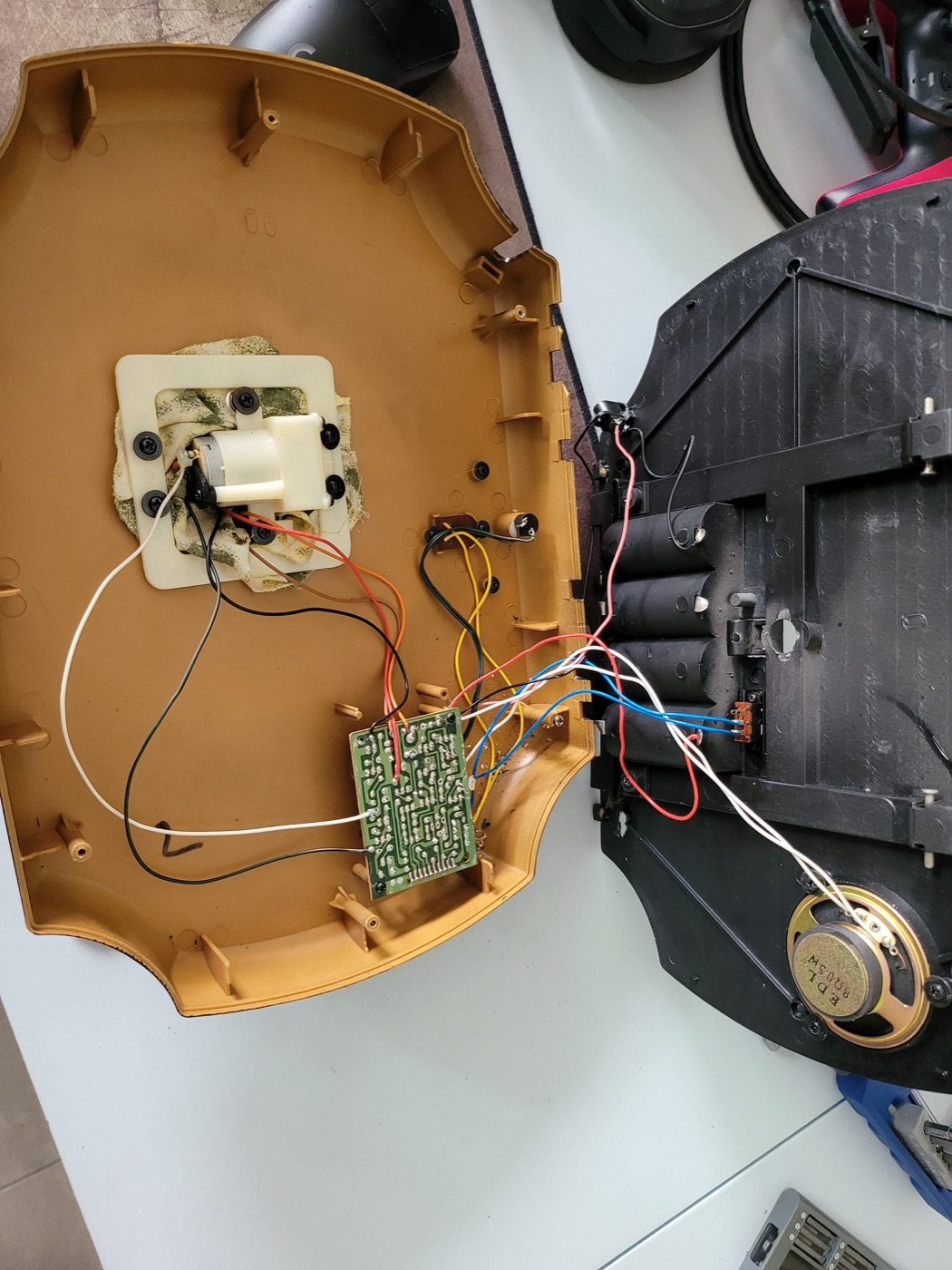
This project has been done in multiple forms by other people. I was able to find some guidance online, which helped a bit. My model is the original one from 1999 — that made it difficult to follow the guides because the wire colors and the circuit board are different.
So here I am, barely any clue about electronics, trying to reverse engineer which wire powers which motor.
The First Connections
We've had rough beginnings. Before I could do anything serious I needed something to control the motors of the fish.
I had an old Arduino Uno laying around, it was finally time for it to stop gathering dust.
Additionally I ordered a motor shield which would be used to interface the fish with the Arduino.
After hooking up the batteries and the wires to the motor shield I was ready to test things out. But it didn't work. My wiring was all wrong. So then I experimented more and more until I was able to get a slight jiggle.
Big Block
It was jiggling, I was able to control it with input from a computer. But for quite a long time it didn't go any further than that. I was stuck in a big block.
Life started taking up more time and I got more interested in other side projects (it always ends the same).
Initially, the idea was that the fish would be a darts coach for the office — but that project was put on the backlog because it turned out that I will need more hardware than I initially thought I would. So now both projects were waiting to be picked up again.
Time passed and eventually I came back to the fish. The first issue I had was that the motors weren't flopping enough — it would only slightly move without any real feeling to it.
This was a crucial point for me, it took away from how funny it looked and I really wanted to fix it.
Here, I'm going to shout out my boy Jens from Rollo as well as the entire iMaginelab for helping me with figuring out what's wrong and planning what I should do to fix it. Thank you to everyone giving me ideas and brainstorming with me about it, you are all a part of why this “kinda” works.
The problem was that I was powering my Arduino using the fish's power supply — which simply wasn't powerful enough for the motors to move the fish in a meaningful way.
After frying it a bit at the iMaginelab using their power supplies, we found a good wattage that was able to move the fish.
At this point, everything was in motion again.
The Technical Part
This concludes the “journey” part of this write up. From now on it's about my technical choices, research and development.
The Final Stretch
Once the power problem was figured out, it was time to:
- Order the necessary parts
- Start working on the software
To let AI control the movements of the fish, I decided to add a Raspberry Pi to the fold. I bought a beefy one (4B 8GB) because I really wanted to have it be 100% local.
Additionally I wanted a custom case — I 3D printed mine.
The Software
The Arduino driver was written in C++ with a super simple serial port communication setup. It activates certain motors based on the command sent in.
The python script on the Raspberry Pi is responsible for sending the commands to the Arduino.
Like I mentioned at the beginning, I have two implementations — one local and one hosted.
Input, Speech to Text
The first question to answer is “How to interact with the fish?”
For the local solution, I've tried a few different methods, but ended up choosing WhisperX. I saw it being recommended online and so I checked it out and it turned out to be one of the more stable solutions.
For the hosted solution, I set up a Deepgram connection. You get quite a bit of free minutes to test it out and the quality plus speed is really good.
Model
Now that we have the transcribed text, the next step is to generate a response.
This was the coolest part for me, there's a lot of constraints and different aspects to consider when working with LLMs on edge devices.
The model's requirements were to generate responses in a specific manner, the model needs to be small (1B-3B parameters) and the responses need to be coherent.
I saw this paper some time ago and I wanted to try it out for fun's sake. It's called ToolGen: Unified Tool Retrieval and Calling via Generation (Wang, Renxi, et al.).
The paper introduces ToolGen, which in short is representing LLM tools as tokens baked into the model's vocabulary.
It was specifically made for complex domains where you have thousands of tools you can use. My fish only uses 4 tool tokens (<<TailFlop>>, <<MoveHead&&Outward>>, <<MoveHead&&Inward>>, <<HeadFlop>>).
There were more planned for interactions with LEDs but for now they're ignored.
Nonetheless, I wanted to do something with it even if it was small.
Synthetic Data
I needed to finetune the smaller model to respond in a certain way, including the fish tokens. For this I had to generate some synthetic data.
We're in this wonderful age of LLMs generating training data for other LLMs, but it's quite difficult to get right and have it varied enough to be useful.
At first, I used an approach from one of my previous projects — create a “seed” for generating conversations and basically dream them up.
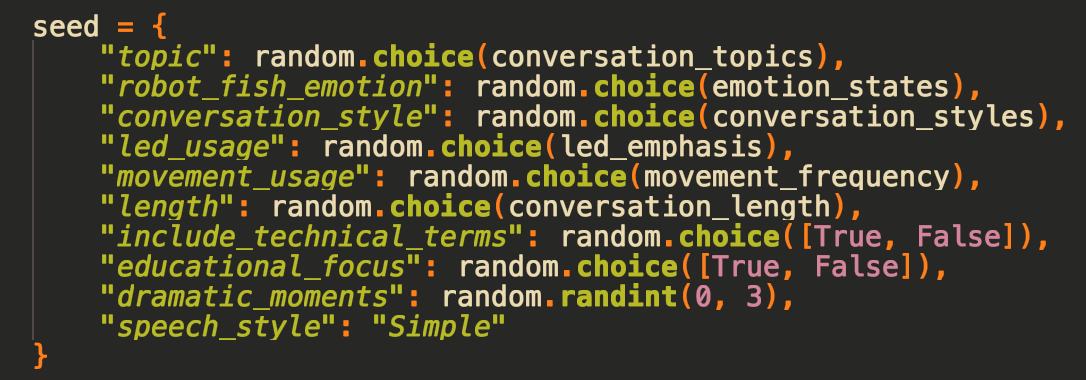
Then with this initial setup, I needed to find a model to use.
The first model I tried was Google's Gemini Flash 1.5 — I recalled it was really good for its size and you get a ton of free credits when signing up for Google Cloud.
It was a total failure on a lot of levels, but from what I've seen they have really improved their developer experience as well as their models this November/December (Gemini Flash 2.0 looks really good — update: it is really good, switched some of my workflows to it, especially vision).
Then I went to together.ai, where it turns out I had a lot of credits to spend. That was already a huge improvement and most of my data is generated with open source models. I used mostly Llama 3.1 models back then, but now I would probably use Llama 3.3 70B or try out Qwen's QwQ.
At the end I switched to Claude Sonnet 3.5 for a bit because I love the model.
Switch to Alpaca
After some time, I noticed that the data always started in the same way and even though the seed added some variability, it wasn't enough.
I switched to a different way of creating synthetic data — by using yahma/alpaca-cleaned and rewriting it into the style I want while also keeping high quality instruction data.
So now I had a mix of different “fluff” conversations, actual conversations rewritten in my style, and high quality instruct data.
Final recipe:
- Synthetic data generated with a seed
- Rewritten HuggingFaceTB/smoltalk
- Rewritten yahma/alpaca-cleaned
Finetuning
And so the finetuning started. The result was strictly measured on vibes, which is actually a really good benchmark.
Once I had something good enough I pushed it to HuggingFace and then downloaded it to my Raspberry Pi.
In the end I was working with 2 models:
- Llama-3.2-1B
- Llama-3.2-3B
The framework I used for finetuning is unsloth — it's really nice for most use cases and generally my go to.
Text to Speech
For text to speech, you might notice the tts_parler_disaster.py file in the repository. It's a great model but for my Raspberry Pi workflow it was too heavy. Other than that it's a great model, love everything HF puts out.
In the end, the one I used the most was simply espeak for when I was testing on the Pi and say for MacBook.
These were good for testing, but all the videos and showcases were done with the ElevenLabs API (code implementation still needs to be added to the repo).
Outro
Thanks for reading. This project taught me a lot and I hope that this brain dump was helpful to some, or at least entertaining.
The intersection of LLMs and robotics is something I'm very interested in, hopefully I can make more things like this in the future — next on the list might be HF's LeRobot arm.
Bonus
References
- fibleep/fish-ai — the source code for both implementations.
- Wang, R. et al. (2024). ToolGen: Unified Tool Retrieval and Calling via Generation.
- Bain, M. et al. WhisperX — speech to text with word-level timestamps.
- yahma/alpaca-cleaned and HuggingFaceTB/smoltalk — instruction datasets, rewritten for style.
- unsloth — the finetuning framework.
- iMaginelab — the people who found the power problem.
Originally published on Medium.