Robot AI Assistant at Home with the TurtleBot 4
Three students, two months, and an affordable personal robot. ROS 2 for the plumbing, SLAM for the map, MediaPipe for the eyes, and a function-calling agent for the brain.
Filip Nowak, Elina Van der Taelen & Noah Diderich · 8 min read
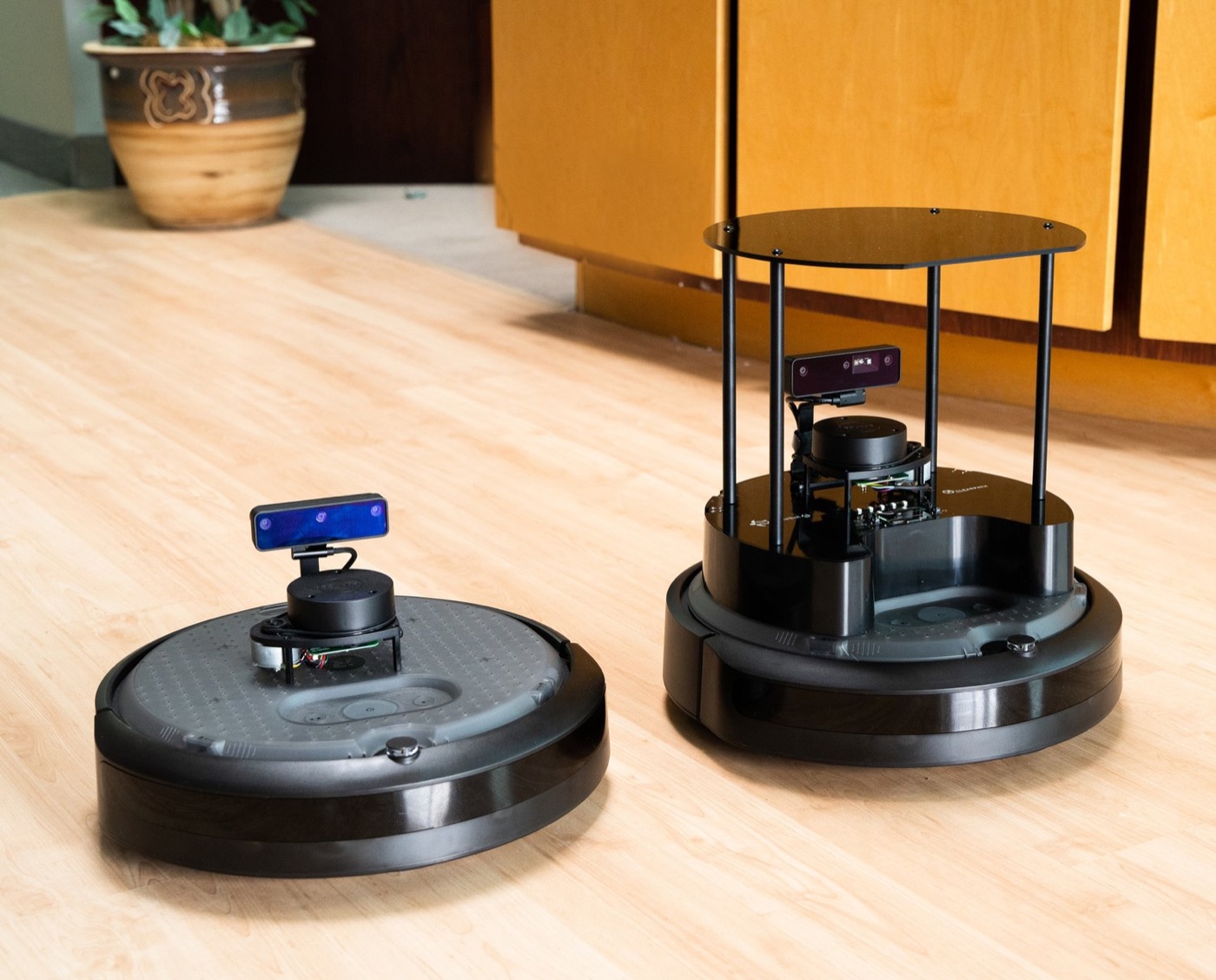
Do you like tinkering with hardware? Are you interested in LLMs and the recent announcements in robotics?
We are a team of three students, and during the last two months we have been working hard on creating an affordable version of your own personal robot.
The TurtleBot 4 is a robot made by Clearpath Robotics and designed for education, research, and development in the field of robotics and artificial intelligence. It serves as an open-source standard for robotics projects and experiments, built on Robot Operating System 2 (ROS 2). It comes in two flavors, TurtleBot Lite and TurtleBot Standard.
Decomposing the Robot
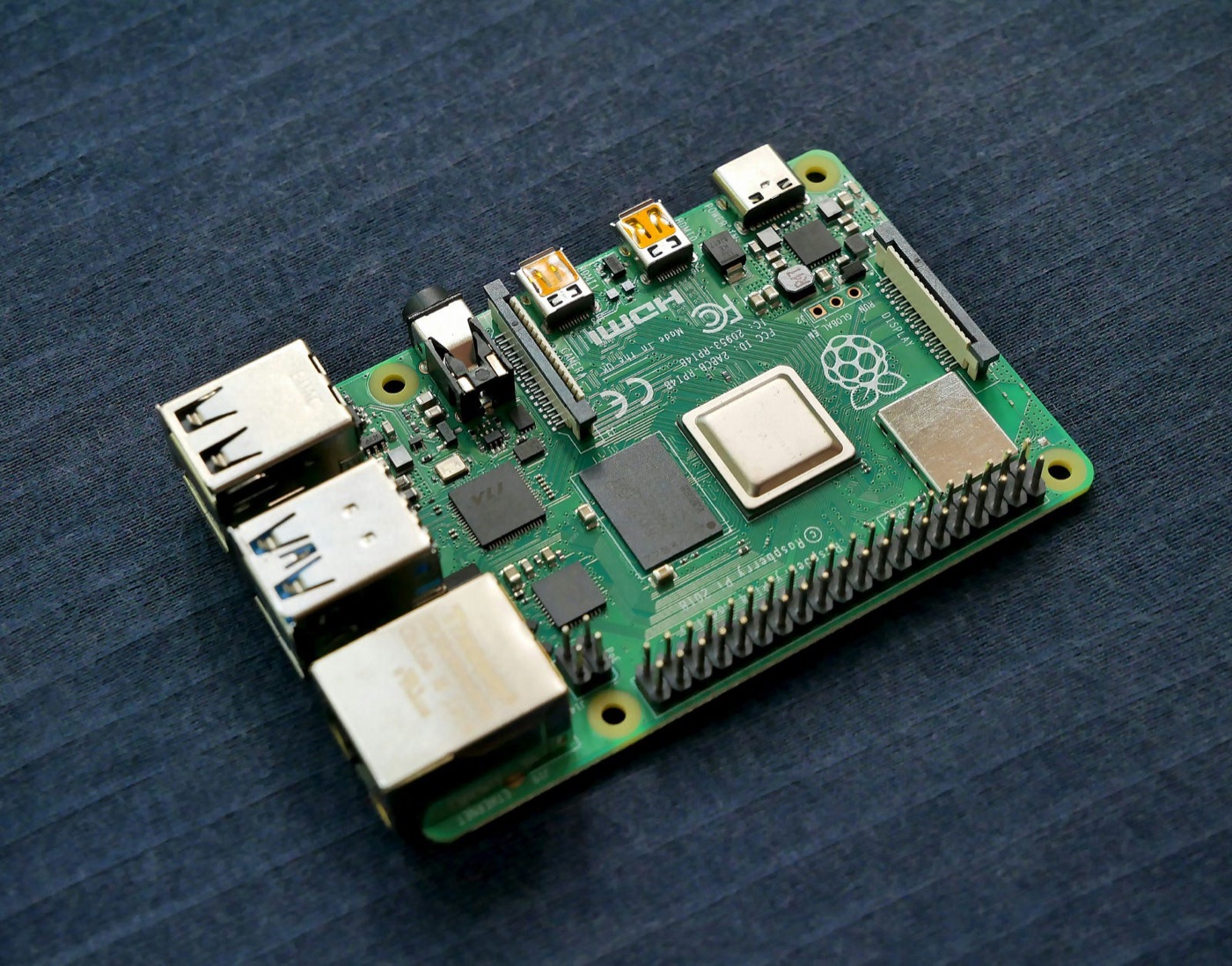
Raspberry Pi 4
This is the brain of the TurtleBot 4. With its 4 GB of RAM, it is more than capable of running ROS 2. The TurtleBot 4 Standard edition also has a small screen and four buttons to control the robot quickly. The setup is effortless since ROS 2 is already loaded onto the micro SD card in the Raspberry Pi out of the box.
OAK-D Pro Camera
The TurtleBot 4 Standard is equipped with a competent camera. It has different modes, such as a color camera, a stereo camera, and infrared for night vision (Luxonis, 2024). For this project, we use the color camera.
RPLIDAR A1M8
SLAMTEC's 2D LIDAR uses laser triangulation measurements to calculate the distance between the robot and obstacles like walls or tables within a 12 m distance (SLAMTEC, 2023). It spins around itself to make a 360° scan of the environment, useful for navigation.
Create 3 Base
You might be thinking, “Is it a glorified roomba?” and you are right. In a way. Create 3 is the robot used as the base of the TurtleBot. It's made by the company famous for its Roombas, iRobot. The Create 3 does not have the cleaning capabilities of a Roomba, but it does have all the sensors, like the bumper in case it runs into an object or the cliff sensors if it encounters stairs.
What did we use?
A few things needed to be set up beforehand:
- TurtleBot 4 (we used the standard version)
- Conference speaker — having both a microphone and a speaker in one is very handy
- An LLM with function calling capabilities, we used GPT-4 for this
- Deepgram for voice transcription (200 USD free credits)
- ElevenLabs for text to speech, for testing we were using gTTS
How does it work?
ROS 2
Let's start with ROS 2, or Robot Operating System, the standard for developing robot software. It is an open source framework with a large, global community and stellar industry support.
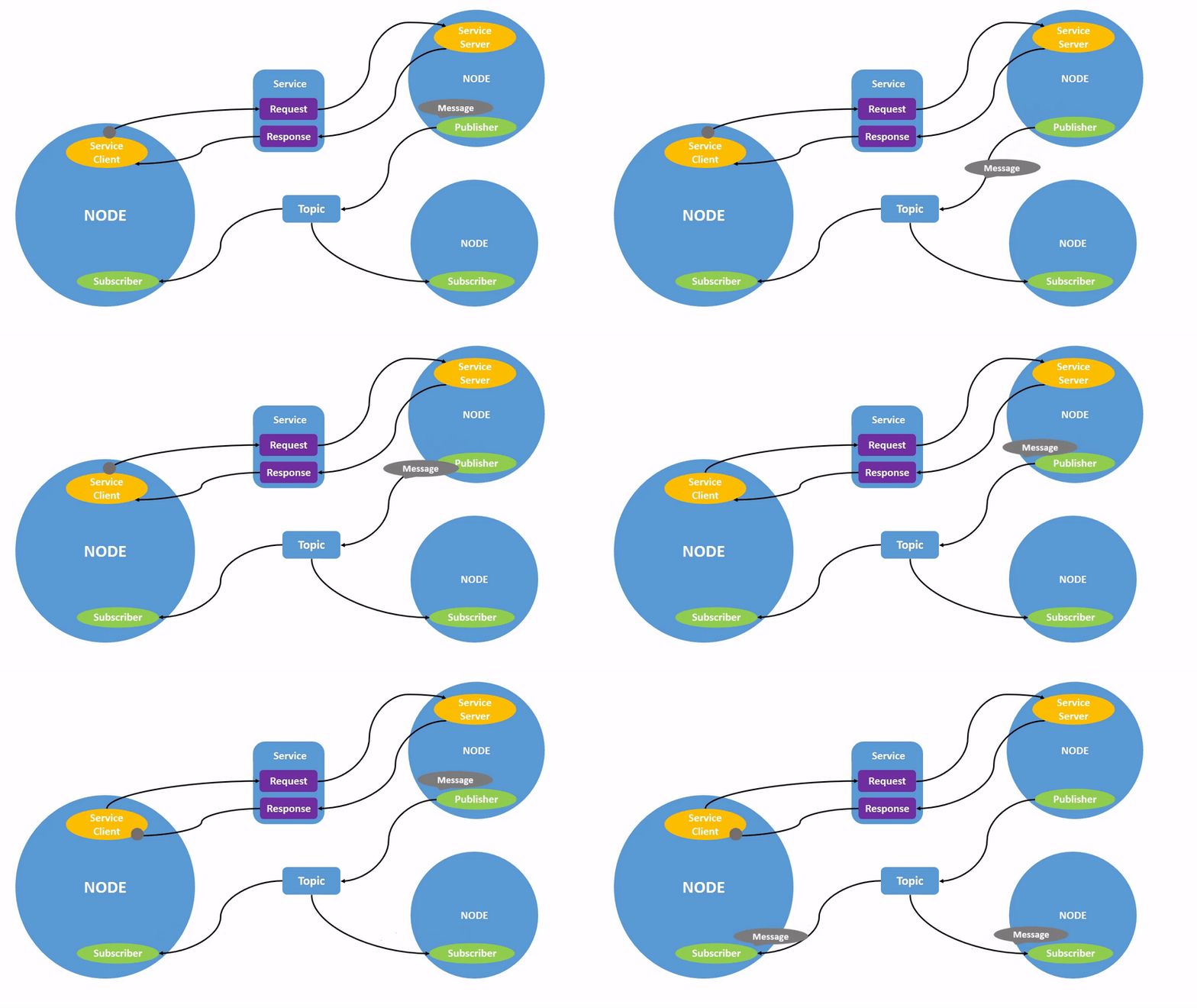
ROS works on the basis of the publisher-subscriber pattern, where messages travel over topics.
The Navigation
For an effective robot assistant, it is naturally important for it to be able to move around seamlessly in its environment. This is where the navigation comes in. This module is what is going to allow the TurtleBot to dynamically move around in its environment.
Mapping
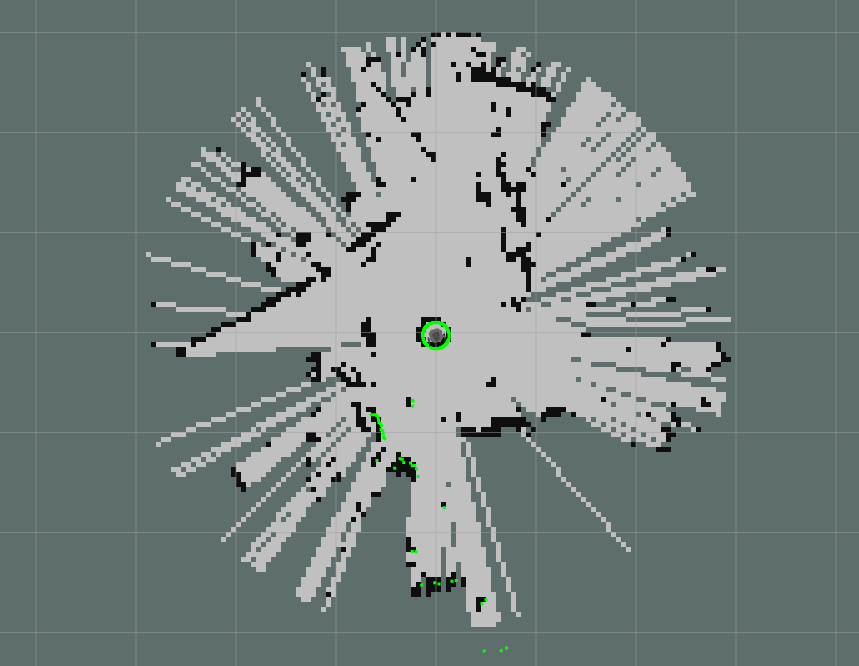
The first step in the process is going to be to map out the room. This only has to be done once when first setting up the TurtleBot in a new environment. It uses simultaneous localization and mapping, also called SLAM, which means that the robot will map out the room and at the same time localize itself in that very environment.
For the mapping, it uses the LIDAR to send lasers around itself and calculates the distance and shape of the objects as the lasers bounce back.
Using the SLAM technology and driving around the environment we are in, the TurtleBot will be able to generate an accurate map that we can now use for the next step.
Navigating
The next step is to be able to have the robot navigate on its own in the map we generated. For that, we will be using two tools: localization and the Nav2 stack. The localization will be using LIDAR again but only for localization, not for mapping. By using the laser technique explained earlier, it will be able to accurately position itself in the environment that we mapped.
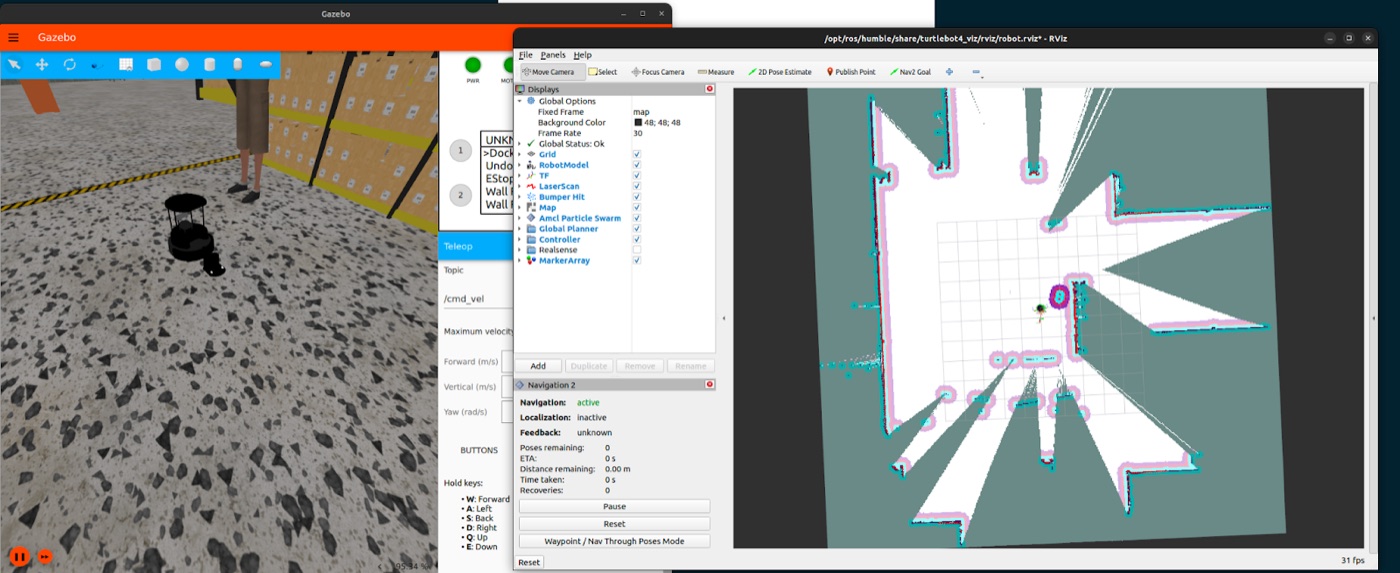
Now that the localization is working, we can use RViz to visualize the map and, most importantly, to get the coordinates of waypoints we want to use in the future. We can save those waypoints in a JSON file with a name and a description and we will be able to access them in the code for our desired purpose.
And that's it. Using the navigation module, we can now send the name of a waypoint through a ROS topic and the TurtleBot will dynamically calculate the best path to those coordinates.
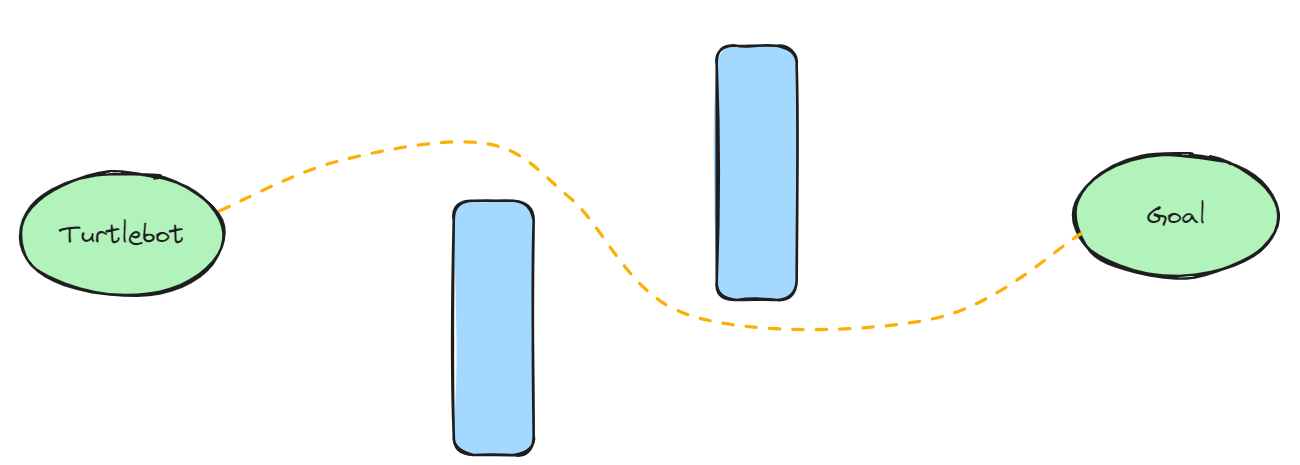
An interesting feature that we also added is patrolling for security. This feature essentially allows the TurtleBot to loop through the waypoints and patrol through its environment. During its patrol, the robot will be trying to detect bodies using a technique explained later, and if it is successful at it, it will interrupt its patrol and inquire about the person's identity and purpose at that location.
The Vision
The images taken by the camera are being sent on a ROS 2 topic. We can listen to that topic, receive those images and work with them. With the use of a python package from Google called MediaPipe (Google, 2024) that uses AI models, we can add pose landmarks to a body. As you can see in the picture below, landmarks are for the most part representing segments in a person's body.
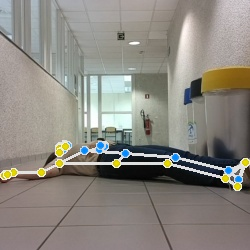
To detect if a person is lying on the ground, we calculate the height of the landmarks. If the height is small, it means the person is lying on the ground. This does not get triggered if a person is standing far away from the robot because we also consider the width: if the height is greater than the width, the person is more likely to be standing up.
Patrolling
We use this to detect fainting or falling. If the robot detects a lying body, it will ask the person if they are doing okay. If there is no response, the robot will call for help or emergencies. When the TurtleBot is patrolling, it will use the body detection, standing or lying, in order to make sure there are no trespassers.
And the LLM
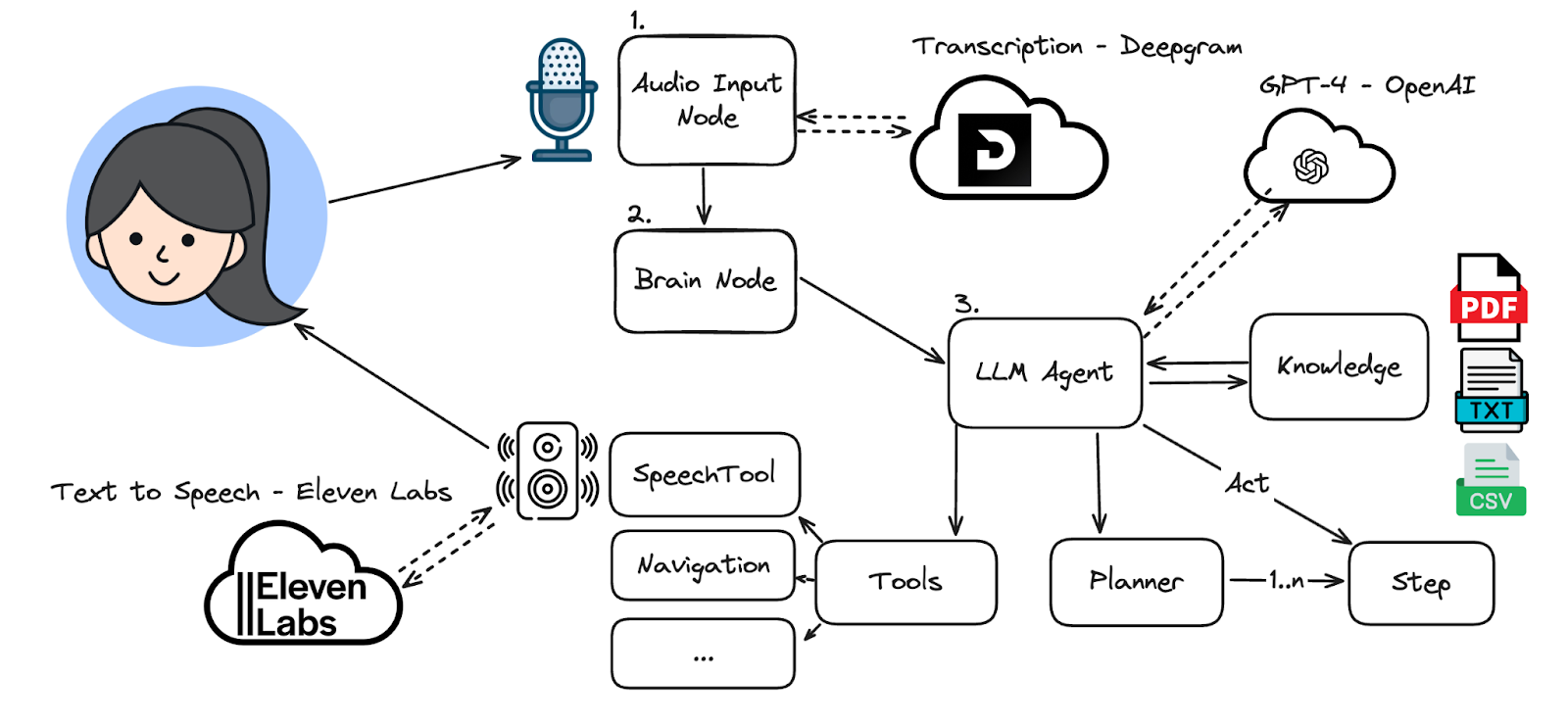
Everything starts with the user saying a keyword, afterwards we send the transcribed text over to our brain node, which hosts an OpenAI LangChain agent. The agent at first retrieves relevant domain knowledge and then creates a plan. For each step in the plan, the agent will call a function which can interact with the environment.
In the system prompt, we encourage it to communicate with the user as often as possible. This is done by calling the SpeechTool which will then use the ElevenLabs API to stream audio output to the conference speaker.
The Results
Conclusion
When people are thinking about the IT world, they do not immediately think of robotics. However, it is through creating this project that we realise how vast the possibilities are in the world of robots. We did not know anything about robotics when starting this project and in only a couple of months, we managed to create an AI assistant with so many possible applications.
How to make your own?
Once you have all the ingredients, we recommend starting from the official manual (Turtlebot, 2024). Take your time to understand how everything works, it comes in handy.
After your bot is driving around, we recommend building on top of the ROS-LLM repository owned by Ye (2023) and editing it for your specific use case.
What inspired us was this tweet from Roemmele (2023) about Spot — the Boston Dynamics robot using GPT for interacting with the cameraman — and this LLMind paper (Cui et al., 2023), where a TurtleBot is used as a part of a larger, LLM controlled infrastructure.
Connect with us
Do you want to connect, ask questions or collaborate? Feel free to visit our LinkedIn profiles.
- Elina Van der Taelen — Vision
- Filip Nowak — LLM
- Noah Diderich — Navigation
References
- Cui, H., Du, Y., Yang, Q., Shao, Y., & Liew, S. C. (2023, December 14). LLMind: Orchestrating AI and IoT with LLM for Complex Task Execution. arXiv.org.
- Google. (2024, January 23). Pose Landmark Detection Guide. MediaPipe.
- Luxonis. (2024, January 19). OAK-D Pro. DepthAI Hardware Documentation.
- Mohanan, V. (2021, January 16). green and black circuit board [Photograph]. Unsplash.
- Open Robotics. (2022, May 4). [Photograph of TurtleBot 4 Lite (left) and TurtleBot 4 Standard (right)].
- Open Robotics. (2024). [Graph of ROS 2 nodes with topic and service]. ROS 2 Documentation.
- Roemmele, B. (2023, October 27). Boston Dynamics robot dog Spot. Now has an independent mind using ChatGPT. Twitter.
- SLAMTEC. (2023, December 4). RPLIDAR A1. slamtec.ai.
- Turtlebot. (2024, February 13). TurtleBot4 User Manual. Clearpath Robotics.
- Ye, H. [Auromix]. (2023, July 10). Auromix/ROS-LLM. GitHub.
Originally published on Medium.